Delta Exchange
Kill switch for Delta Exchange
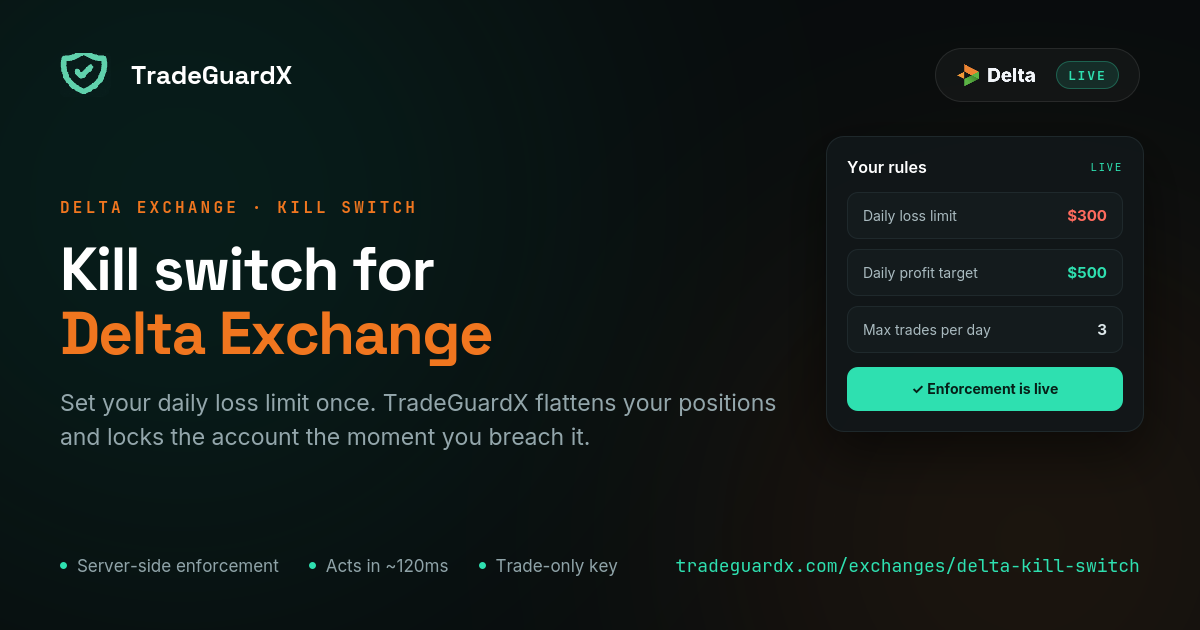
Connect a Delta Exchange Trading API key with our IP whitelisted, set your daily loss limit once, and our engine enforces it — cancelling orders, closing positions and locking the account whether your screen is on or not.
What happens when you breach your limit on Delta Exchange
Three steps, in this order, every time. Your open orders are cancelled. Every open position is market-closed — then verified, and retried if the exchange says otherwise, because assuming an instruction landed is how a guard quietly fails. Then the account is locked for a cooldown.
The lock is written to the database before any closing starts, so a crash mid-close cannot leave you unlocked. It survives an engine restart and is lifted by the clock alone, never by an error. Anything you open during that window is closed on sight and does not count as a trade.
We cannot stop an order from reaching Delta Exchange. No exchange hands a third party that switch, and anyone who says otherwise is selling something. What we do is close the position immediately after it opens and then confirm you are flat.
What is different about Delta Exchange
Delta has the most granular and stable perpetuals API of the three venues we support, which matters more than it sounds: your protection is only ever as fast as the data feed behind it.
India and Global are separate Delta accounts with separate keys. Pick the region that matches the account you actually hold when you add it — a Global key on an India account is the single most common connection failure, and it looks identical to a bad key.
The permission you need is called Trading. Read Data is always on and can be left alone. Futures only: Delta spot is not enforced.
Which Delta Exchange rules can TradeGuardX enforce?
All seven on Delta Exchange. This is the venue the engine was built against, and the behaviour of every rule below is the behaviour on Delta — the other venues match it rather than the reverse.
Daily Loss Protection
Cancels every open order, market-closes every position, and locks the account until your next daily reset.
Measures trading result, so a deposit does not move it.
Max Trades Per Day
Locks the account for the rest of the day once you hit your trade count.
Trades blocked by a lock are free — they do not count toward the limit.
Daily Profit Target
Locks the day once you have BOOKED your target and are flat, so the win survives the afternoon.
It never force-closes an open winner.
Close After N Losses
Pauses trading after a losing streak. Two tiers, each firing once per streak: a soft lock at your chosen count (3 losses → 3h by default) and a hard lock if it continues (5 → 12h).
A win resets the streak before either tier.
Risk Per Trade
Closes the single position whose stop-loss implies more risk than your limit, and leaves the rest of the account alone.
It does not cancel your other orders and does not lock the account.
Stop-Loss Protection
Tells you a position is sitting open with no stop attached.
It never closes it. Force-closing you for not having set a stop yet would be worse than the problem.
Max Drawdown Lock
Notifies when the account is down past your threshold from its starting balance.
Alert only today, despite the name — it does not close or lock. Do not rely on it as a floor.
How do I connect my Delta Exchange account?
Create a Trading API key on Delta with our IP whitelisted, then paste the key and secret into TradeGuardX. About five minutes. One thing that catches people: a brand-new Delta key takes roughly five minutes to activate, so an immediate rejection is often just impatience.
Read the Delta key setup guideCan TradeGuardX withdraw my funds?
No, and you should refuse any risk tool that asks. Your funds never leave your own exchange wallet — we never hold them.
The only permission we ask for is Trading. Delta's API key form has no withdrawal option at all, so the key can cancel an order and close a position and can never move funds — not to another exchange, not to a wallet, not anywhere.
The key is also pinned to a single IP address (13.205.214.83), so it only works from our engine and nowhere else. Your secret is encrypted with KMS before storage and is never shown again, not even to you.
Delta Exchange questions
Does TradeGuardX work with Delta Exchange?
Yes, on both Delta India and Delta Global, and it is the venue the engine was built against. There is no extension to install: you create a Trading API key on Delta, whitelist our IP, and paste it in. We hold a live connection to the account and enforce your rules from our servers.
Which Delta Exchange API permissions does a kill switch need?
Trading, and nothing else. Read Data is always enabled and can be left as it is. Trading is what lets us cancel a resting order and close an open position. A key with Trading unticked will connect and can send you alerts, but it cannot run the kill switch — there is no way to close a position with a read-only key.
Why is Delta Exchange rejecting my API key?
Three usual causes, in order of likelihood. A region mismatch — an India key on a Global account or the reverse. A brand-new key, which Delta takes about five minutes to activate. Or the Trading permission was not ticked, or our IP was not whitelisted. Delta requires the whitelist for Trading keys.
Can I create a Delta Exchange API key from the mobile app?
Yes — Delta is the one venue of the three where you can. The path in the app is Algo Hub → APIs. Name the key, paste our IP and tap + to add it (typing the IP without adding it will not save), tick Trading, then create. On a desktop browser the same form is on Delta's API keys page.
Does the kill switch still work if I trade from the Delta app?
Yes. Enforcement runs on our servers against the account itself, not in a browser tab, so it makes no difference whether the order came from Delta's website, the mobile app, or a bot you wrote. If a trade reaches your account and breaks a rule, the guard acts.
Is a kill switch the same as Delta Exchange's stop loss?
No, and the difference is the point. A stop loss protects one trade; a kill switch protects the account. A stop does nothing about the behaviour that actually empties accounts — re-entering ninety seconds after a loss, doubling size to win it back, taking twelve trades on a day you planned three. A kill switch caps the day, not the trade.