Crypto kill switch
The crypto kill switch for Indian traders
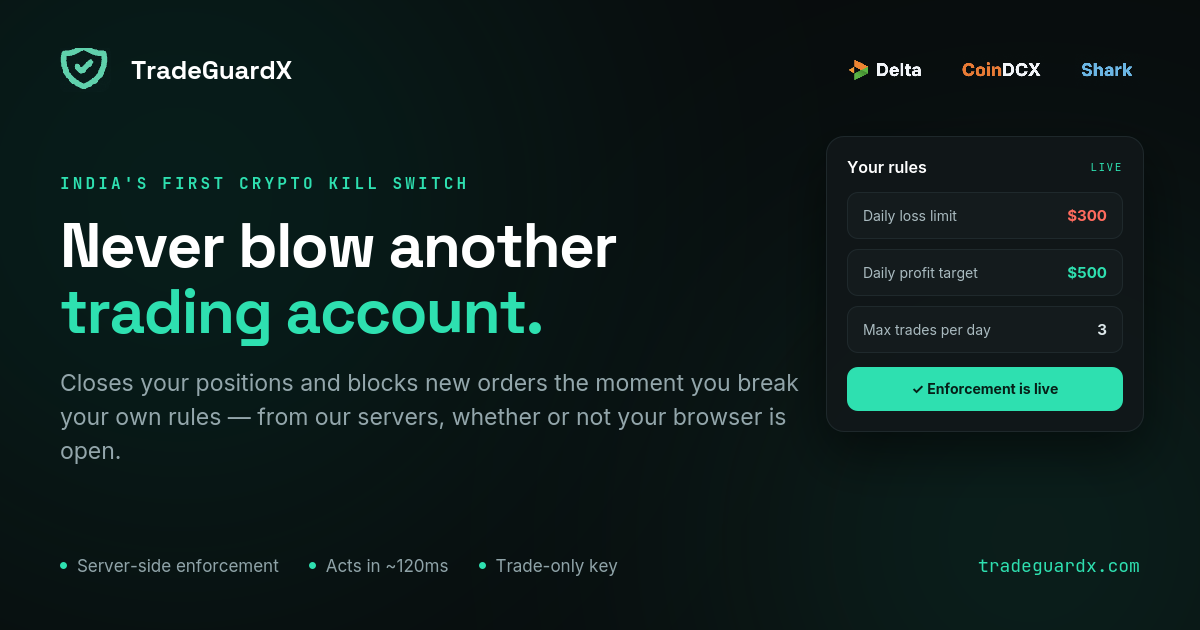
A kill switch caps the day, not the trade. Set your daily loss limit once — TradeGuardX cancels your orders, closes your positions, and locks new entries the moment you cross it. Enforced from our servers on Delta Exchange, CoinDCX and Shark Exchange, whether your screen is on or not.
What a crypto kill switch actually does
Most blown accounts don't die from one bad trade. They die from the one after it. You take a normal loss, you're annoyed, you re-enter within ninety seconds to get it back, that one fails too, so the third is double size. Nobody plans that sequence. It takes about forty minutes.
A kill switch breaks the chain mechanically. You decide the limits on a calm morning — how much you can lose in a day, how many trades you get, how much risk per position, how long you sit out after a losing streak. When you cross one, nothing is negotiated: your open orders are cancelled, your positions are market-closed, and new entries are shut off until the clock says otherwise.
The whole design rests on one idea. The version of you who sets the limit and the version who wants to override it are not the same person, and the first one should win.
The rules you can actually set
Seven of them, and every one is on every plan — the paid tier buys more accounts and more history, never more protection. They behave identically on all three exchanges, because it is one engine behind them.
The column that matters is the last one. Three of these seven never close anything. A trader who believes Max Drawdown is a floor has bought a floor that does not exist, so it says so here rather than in the small print.
Daily Loss Protection
Closes & locksCancels every open order, market-closes every position, and locks the account until your next daily reset.
Measures trading result, so a deposit does not move it.
Max Trades Per Day
Closes & locksLocks the account for the rest of the day once you hit your trade count.
Trades blocked by a lock are free — they do not count toward the limit.
Daily Profit Target
Closes & locksLocks the day once you have BOOKED your target and are flat, so the win survives the afternoon.
It never force-closes an open winner.
Close After N Losses
Closes & locksPauses trading after a losing streak. Two tiers, each firing once per streak: a soft lock at your chosen count (3 losses → 3h by default) and a hard lock if it continues (5 → 12h).
A win resets the streak before either tier.
Risk Per Trade
Closes one positionCloses the single position whose stop-loss implies more risk than your limit, and leaves the rest of the account alone.
It does not cancel your other orders and does not lock the account.
Stop-Loss Protection
Alert onlyTells you a position is sitting open with no stop attached.
It never closes it. Force-closing you for not having set a stop yet would be worse than the problem.
Max Drawdown Lock
Alert onlyNotifies when the account is down past your threshold from its starting balance.
Alert only today, despite the name — it does not close or lock. Do not rely on it as a floor.
The lockout you pull yourself
Some days you can feel it coming before any rule has fired. There's a red button for that. Pick three, six or twelve hours, confirm, and the account is shut to you for that long.
There is no cancel. Not hidden in settings, not behind a confirmation — it does not exist. The clock is the only thing that lifts it, and you can extend it but never shorten it, because a lock you can shorten by re-arming for one hour was never a lock. You have to be flat to arm it, so it's a decision you make between trades rather than in the middle of one.
Why server-side enforcement matters
A browser extension can only see the tab it's in, and only while that tab is open. Shut the laptop, pick up your phone, place an order through a third-party client, and it sees nothing at all. It is a reminder wearing the costume of a safety system.
TradeGuardX holds a live connection to your exchange from our own servers. Screen off, phone in your pocket, laptop shut in a bag — the feed pushes the change to us rather than us asking for it, and the breach is checked and acted on within seconds. The exact speed belongs to the exchange, not to us: it depends on what that exchange publishes and how quickly, which is why each exchange page states its own position rather than one number standing in for all of them. If you open a position while a lock is running, it gets closed on sight, and it does not count toward your trade limit or your losing streak.
You cannot loosen a rule in the moment you want to
This is the part people argue with, and it is the part that does the work.
Tightening a limit applies immediately. Loosening one — raising your loss cap, allowing more trades, shortening a cooldown, switching a rule off — is staged for twenty-four hours. You can still make the change; you just cannot make it at 2pm on the day you are down and certain the next one comes back. While a lock is active your API key is frozen too, so pulling the key is not the exit either.
What it can't do, plainly
We cannot stop an order from reaching the exchange. No exchange in the world hands a third party that switch, and anyone who tells you otherwise is selling something. What we do is close the position immediately after it opens and then verify you are actually flat.
That has a real cost worth knowing: a forced close can book a small loss on fees alone, and that loss counts toward your losing-streak rule. One rule tripping another is a thing that happens.
And on a retail exchange this is a cooperative tool, not a cage. You own your exchange login and you can always revoke the key. It is built for the trader who wants to be protected from themselves, not for one trying to beat it.
What you get besides the switch
Breach alerts arrive on Telegram or email within seconds, because the engine acting while you are away is only useful if you find out it did.
Every trade lands in a journal with the rules that fired on it, so a bad week has an actual record instead of a feeling. And there is a tax centre that rebuilds your Indian financial-year result from raw exchange fills — F&O treated as business income, VDA under 115BBH, kept separate because they are different regimes and adding them produces a number that means nothing. It exports the working for your CA.
Which Indian exchanges we support
Three, all live today, all futures, and one subscription covers every one you connect.
Delta Exchange came first, India or Global, whichever account you hold. It has the most granular and stable perpetuals API in the country, which matters more than it sounds: your protection is only ever as fast as the data feed behind it. It is also the one exchange of the three where you can create the API key on your phone.
CoinDCX futures followed. Its INR and USDT margin modes are one venue and two wallets, not two exchanges — the same instruments priced in USDT either way — so one key covers both and your rules apply across the pair. Its key form has no permission checkbox at all, which confuses people looking for one.
Shark Exchange is the newest, and it settles in INR, so your limits are rupee amounts that reconcile to the paisa against Shark's own statement rather than surviving a conversion. It is also the one that most often goes wrong at setup: Shark issues every key Read-only, and the permission that lets anything be closed is edited after the secret is already on screen, which is exactly when people think they are finished.
What does not differ is the guard. It is one engine, and the rules behave identically wherever your key points. What differs is the exchange underneath — and that is what the table shows.
| · | Delta Exchange | CoinDCX | Shark Exchange |
|---|---|---|---|
| Status | Live | Live | Live |
| What you trade | Perpetual futures | Perpetual futures | Perpetual futures |
| Priced / settled in | USD | USDT (INR wallet converts) | INR |
| Your limits are set in | Dollars | Dollars | Rupees |
| Permission the key needs | “Trading” | None to tick — there is no box | “Trade Futures” |
| Key is read-only by default | No | No | Yes — you must change it |
| Can you create the key on a phone? | Yes (Algo Hub → APIs) | No — desktop only | No — desktop only |
| IP whitelist | Required | Optional, but we bind it | Supported, and we use it |
| Spot covered | No | No | No |
| Tax centre | Yes | Yes | Yes — exact, it settles in INR |
When you don't need this
If you stop at your daily limit without help, you do not need us and we would rather say so than take the money. This exists for one specific gap — between what a trader writes down on a calm Sunday and what they actually do on a Wednesday afternoon, three trades down, convinced the fourth is the one.
Common questions
What is a crypto kill switch?
A crypto kill switch is an automated rule that stops you trading once you cross a limit you set in advance — a daily loss cap, a maximum number of trades, a position size. When the limit is hit, it cancels your open orders, closes your positions, and blocks new entries until a cooldown expires. The point is that the decision is made while you're calm and enforced when you aren't.
Is a killswitch different from a stop loss?
Yes, and the difference matters. A stop loss protects a single trade; a kill switch protects the account. A stop loss also does nothing about the behaviour that actually blows accounts — re-entering immediately after a loss, doubling size to win it back, trading twelve times on a day you planned to trade three. A kill switch caps the day, not the trade.
Which exchanges does a crypto kill switch work with in India?
Three, all live today: Delta Exchange (India or Global), CoinDCX futures, and Shark Exchange. One subscription covers every exchange you connect. Enforcement runs server-side through the exchange API rather than in your browser, so it applies whether you trade from the web, the mobile app, or a third-party client. Spot is not covered on any exchange — futures only.
Does a kill switch need access to my funds?
No, and you should refuse any tool that asks. We use an API key scoped to read and trade only. That is enough to cancel an order and close a position, and it is nowhere near enough to move a rupee — the key cannot withdraw or transfer. Your funds never leave your own exchange wallet. None of the exchanges we support even offer a withdrawal permission on an API key.
Can I turn the kill switch off when I want to keep trading?
You can change any rule, but loosening one goes through a cooling-off window — you can't raise your loss limit in the middle of a bad session. Tightening applies instantly. A kill switch you can disable in the moment you most want to disable it isn't a kill switch.
Does it work if I trade from the exchange mobile app?
Yes, and that is the main reason it runs on our servers rather than in your browser. We hold a live connection to your account, so it does not matter where the order came from — the exchange website, the phone app, or a bot you wrote yourself. The connection is event-driven rather than polled: when a trade reaches your account we are told about it, and a breach is checked and acted on within seconds. How fast exactly depends on what that exchange's own feed publishes, which is why each exchange page states its own position instead of one number standing in for all three.
What happens to my open positions when it fires?
They get market-closed, then checked. We cancel every resting order first, close each position, and then verify you are actually flat rather than assuming the instruction landed — if the exchange is briefly slow or a close silently fails, it retries. After that the account is locked, and anything you open during the lock is closed on sight without counting toward your trade limit or losing streak.
Can I lock myself out before a rule fires?
Yes. Pick three, six or twelve hours and confirm, and the account is shut to you for that window. There is no cancel button — it does not exist, not in settings and not behind a confirmation. You can extend it, never shorten it. You do have to be flat to arm it, so it is a decision between trades rather than mid-position.
Do I need a kill switch if I already have discipline?
Probably not, and that's an honest answer. If you consistently stop at your daily limit without help, this is a tool you don't need. It's built for the specific gap between what traders plan on a calm morning and what they do at 2pm after three red trades.